Apple Return Policy: 14 Days, Opened Items, iPhone and Refund Times
Apple lets you return most products within 14 days of receiving them, online or at any US Apple Store. Opened items, iPhone, refund times and exceptions.
- 8 min
- 10 steps
- 8 questions
- 5 sources
Key facts
- Return window
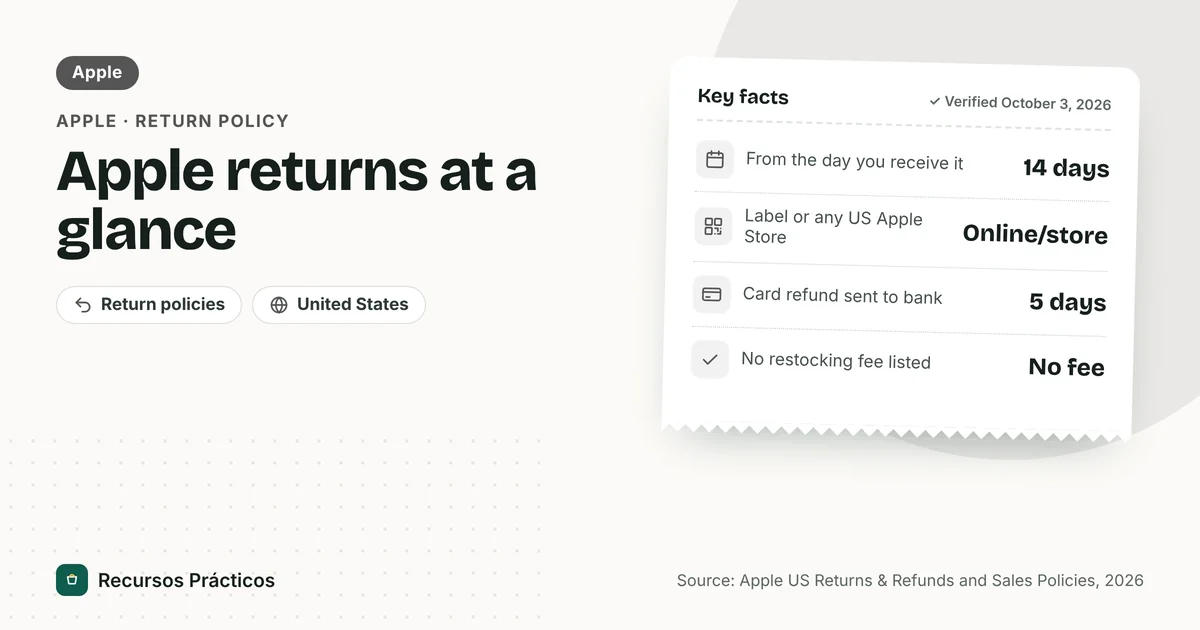
- 14 calendar days from the date you receive the item
- Where
- Online (prepaid label) or any US Apple Store
- Condition
- Original condition with included parts, accessories and packaging
- Refund to a card
- Sent to the card-issuing bank within five business days
- Refund or exchange issued
- Within 10 business days (retail policy)
- Restocking fee
- None listed in the policy pages
 Download fact cardAn image with the key facts to save on your phone.
In this guide
- Apple return policy: how many days do you have?
- Apple return policy for iPhone
- Apple return policy for opened items
- What you can’t return to Apple
- How to return an Apple product online
- How to return Apple products in store
- How long does an Apple refund take?
- Exchanges instead of refunds
- Checklist before you return an Apple product
- What if you miss the 14 days?
- Is there a restocking fee?
- Price drops after you buy
- Buying Apple products somewhere else
Apple’s return policy is short, strict on timing and relaxed on everything else: no restocking fee is listed, opened hardware can go back, and you can return online or in person. The part people get wrong is the clock: it’s 14 days, counted from when you receive the product. Here is how it works for US purchases.
Sources: Apple’s US Returns & Refunds shopping help page, Apple Legal’s “Sales Policies – U.S. Retail Sales” and “Retail Apple Store Purchase Policies” pages, the Apple Education Store sales policy, and Apple Support’s page on Apple Pay refunds (all read on October 3, 2026). None of these pages shows a “last updated” date. Apple’s pages for iPhone Installments terms, wireless carrier activations and any holiday extension didn’t load or didn’t contain details, so those are marked “confirm with Apple.”
Apple return policy: how many days do you have?
Apple’s Returns & Refunds page says: “You have 14 calendar days to return an item from the date you received it.” The retail policy phrases it as returning or exchanging “with a receipt within 14 days of the date you receive the product from Apple.”
Two details matter. First, the clock starts at receipt, not order date. For an online order, that means the delivery date. Second, it’s calendar days, so weekends count. Day 14 is the last day.

Don’t count on a holiday extension. The Apple pages we read describe only the 14-day window and say nothing about seasonal extensions. If you’re buying during the holidays, check the order page or ask Apple at the time of purchase. We couldn’t verify any current extension.
Apple return policy for iPhone
iPhone follows the same 14-day rule as everything else Apple sells in the US. Some iPhone-specific points from the policy pages:
- Wireless service isn’t cancelled for you. Apple says returning an iPhone or iPad “may not automatically cancel or reset your wireless account,” and you remain responsible for your wireless service agreement. Contact your carrier.
- iPhone Upgrade Program. If you return the AppleCare+ portion of your iPhone Upgrade Program purchase, you lose your Upgrade Option.
- Installments. The retail policy refers readers to separate iPhone Installments terms. We couldn’t read those terms, so confirm with Apple how a return affects an installment plan before you return a financed iPhone.
- Security locks. Apple says that if its security features to protect a product against loss or theft were activated and the person in possession can’t disable them, Apple may refuse the return or exchange. Sign out of your Apple Account and turn off device protections before you return it.
- Personalized items. Apple lists engraved iPad or AirPods and custom-configured Macs as items that can’t be exchanged in store. The page we read doesn’t say they’re excluded from returns, so ask before you order engraving.
Apple return policy for opened items
Apple doesn’t require hardware to be sealed. The standard is that the product must be returned “in its original condition with all of its included parts, accessories, and packaging,” and the Apple Store Purchase Policy adds that a refund is issued “provided the return is in its original, undamaged and unmarked condition.” Returned products may require inspection.
Nothing on the pages we read says hardware must be sealed, so opening the box isn’t what disqualifies a return. The condition requirements are what matter:
- Missing parts. Cables, adapters, documentation and the original box should come back.
- Damage or marks. Apple’s retail policy asks for an undamaged and unmarked product.
- Locks you can’t remove. See the security-lock point above.
Software is different. Apple’s page lists “Opened software” as ineligible for return. Electronic software downloads and Software Up-to-Date Program products are also excluded.
What you can’t return to Apple
| Item | What Apple says |
|---|---|
| Apple Gift Cards | Cannot be returned |
| Opened software | Ineligible |
| Electronic software downloads | Ineligible |
| Software Up-to-Date Program products | Ineligible |
| Apple Developer products | Membership, technical support incidents and WWDC tickets are not returnable |
| ZEISS Optical Inserts (prescription) | Can’t be returned at an Apple Store; Apple’s retail policy directs you to call 1-800-MY-APPLE |
| Ten or more of the same product | Must be returned to the Apple Store where purchased |
How to return an Apple product online
- Sign in to your Order Listing page on apple.com.
- Select the item and choose the Start a Return link.
- Confirm the items you’re returning.
- Select Print Return Label. Apple provides the shipping documents for carrier pickup or drop-off.
- Pack the item with all included parts and accessories, attach the label and send it before day 14 ends.

How to return Apple products in store
Apple says: “You can always return the item to any U.S. Apple Store. An Apple Specialist will assist you with your return.” If you bought from Apple in the US, you can also take the item to any US Apple Store for an exchange, subject to availability. Bring the product with its parts and packaging and your proof of purchase.
Apple’s retail policy says that if the item is returned with a gift receipt, Apple will offer an Apple Gift Card.
How long does an Apple refund take?
Apple’s policy pages give different clocks for different situations, so here they are side by side:
| How you paid | What Apple says |
|---|---|
| Credit or debit card | Refund sent to the card-issuing bank within five business days |
| Apple Pay | Goes back to the payment card automatically; Apple Support says it may take several days to appear on your statement |
| Apple Gift Card | Refunded as an Apple Gift Card by email |
| Apple Account balance | Refunded to your Apple Account balance (or, if unable, an Apple Gift Card) |
| Cash or cash equivalent over $750 | Apple mails a refund check within 10 business days |
| Returns needing inspection | If approved, a refund or exchange is issued within 10 business days |
The five-business-day figure covers when Apple sends the refund to your bank, not when your statement shows it. Banks add their own time on top. The 10-business-day figure is Apple’s outer limit after an approved return. For how to chase a late refund and what to expect from banks, see how long does a refund take.
Exchanges instead of refunds
If you bought from Apple in the US, Apple says you can take the item to any US Apple Store to exchange it, subject to availability. The same 14-day window and the same condition rules apply. Exchanges are also where the personalization limits show up: Apple lists engraved iPad or AirPods and custom-configured Macs as items that can’t be exchanged in store.
Apple’s policy adds that returned products may require inspection, and if the return is approved, a refund or exchange is issued within 10 business days. If you paid partly with your Apple Account balance, Apple says it refunds that portion to the account or, if it can’t, issues an Apple Gift Card.
Checklist before you return an Apple product
- Confirm the date. Apple counts 14 calendar days from the date you received the item. Use the return deadline calculator if you aren’t sure.
- Remove locks and accounts. Sign out of your Apple Account and turn off any protection you set up, because Apple may refuse a return it can’t unlock.
- Gather everything. Product, cables, adapters, paperwork and packaging, since the policy asks for all included parts, accessories and packaging.
- Handle the wireless plan. If the device has a carrier plan, contact the carrier. Apple says returning it may not cancel or reset the account.
- Keep proof. Keep the receipt, the return label and the carrier’s drop-off confirmation until the refund lands.
What if you miss the 14 days?
The Apple return pages we read don’t offer a grace period or a late-return option, and we didn’t verify any exception. For a product that fails after the window, ask Apple Support about warranty coverage, which we didn’t research here. If you’re one or two days late, contact Apple before you ship anything, and don’t assume it will make an exception.
Is there a restocking fee?
None of the Apple policy pages we read mention a restocking fee. We can’t promise there is never a deduction, for example for damaged or incomplete returns, but a fee isn’t part of the published terms.
Price drops after you buy
Apple’s retail policy has a price-adjustment line: if Apple reduces the price on an Apple-branded product within 14 calendar days of the date you receive it, you can request a refund or credit. We read only that part of the policy, so confirm the details with Apple. General rules for other stores are in the price adjustment policy guide.
Buying Apple products somewhere else
Everything above is for purchases made from Apple in the US. If you bought an iPhone or MacBook from another retailer, that store’s policy decides. Amazon, for example, has its own rules and its own windows; see the Amazon return policy guide, and for another electronics seller the Best Buy return policy.
FAQ
What is Apple’s return policy?
You have 14 calendar days from the date you receive an item to return it. You can return online with a prepaid label or at any US Apple Store. The product should come back in original condition with its included parts, accessories and packaging.
Can I return an opened Apple product?
Yes, opened hardware can be returned if it’s in original, undamaged condition with all included parts and packaging. Opened software, electronic software downloads and Apple Gift Cards cannot be returned.
What is Apple’s return policy for iPhone?
The same 14 days from receipt. Returning an iPhone doesn’t cancel your wireless service, so contact your carrier. If its security features can’t be disabled, Apple may refuse the return.
Does Apple have a 30-day return policy?
Not in the US pages we read. Apple’s US Returns & Refunds page says 14 calendar days from the date you received the item.
How long does an Apple refund take?
Apple says card refunds are sent to the card-issuing bank within five business days. Its retail policy says an approved refund or exchange is issued within 10 business days. Your bank may add more time.
Does Apple charge a restocking fee?
None of the Apple return pages we read mention one.
Can I return an Apple product without the box?
Apple’s policy requires the product with all of its included parts, accessories and packaging. Return it with everything it came with to avoid problems.
What if I return an Apple item with a gift receipt?
Apple’s retail policy says that for items returned with a gift receipt, Apple will offer an Apple Gift Card.
 Keep reading · Amazon
How Long Does an Amazon Refund Take? Timelines by Payment Method
Read guide →
Keep reading · Amazon
How Long Does an Amazon Refund Take? Timelines by Payment Method
Read guide →