How to Cancel a Temu Order: Before and After It Ships
Cancel a Temu order from Your Orders until it’s packed; after that, wait for delivery and return it. Steps, refund timing and what to do if cancel is missing.
- 8 min
- 9 steps
- 8 questions
- 8 sources
Key facts
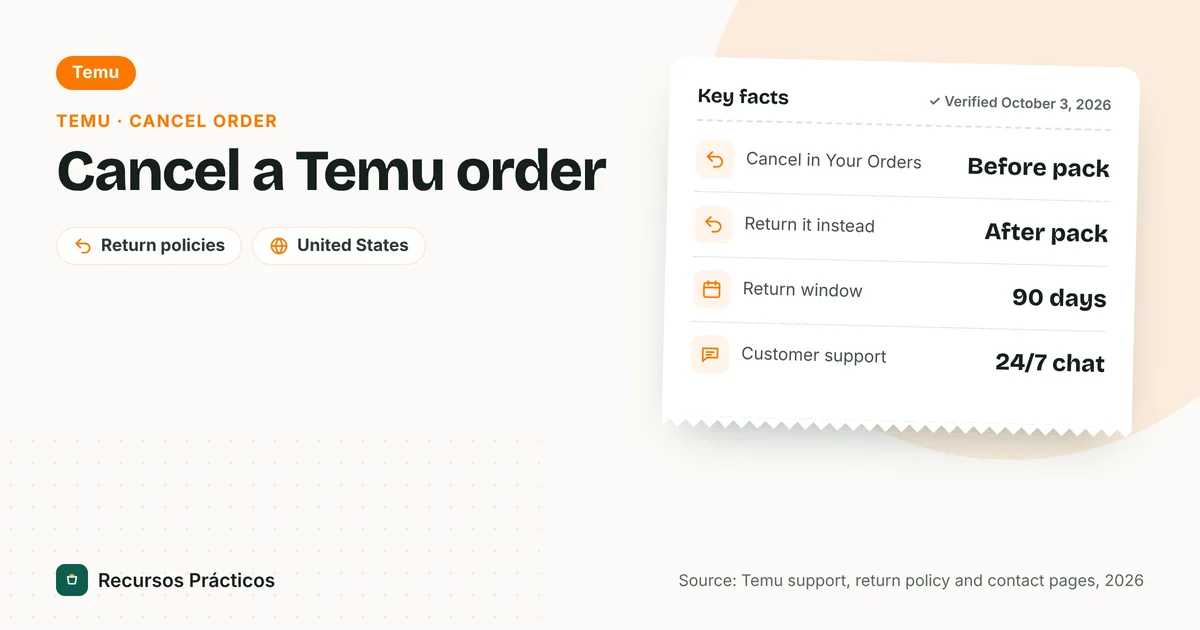
- Where to cancel
- Your Orders → Cancel/Other help → I want to cancel item(s) (per Temu’s UK/AU help page)
- When you can cancel
- Before the order is packed
- Cancel part of an order
- Yes, you select the item(s) to cancel
- After it’s packed or shipped
- Wait for delivery, then return for a refund
- Return window afterward
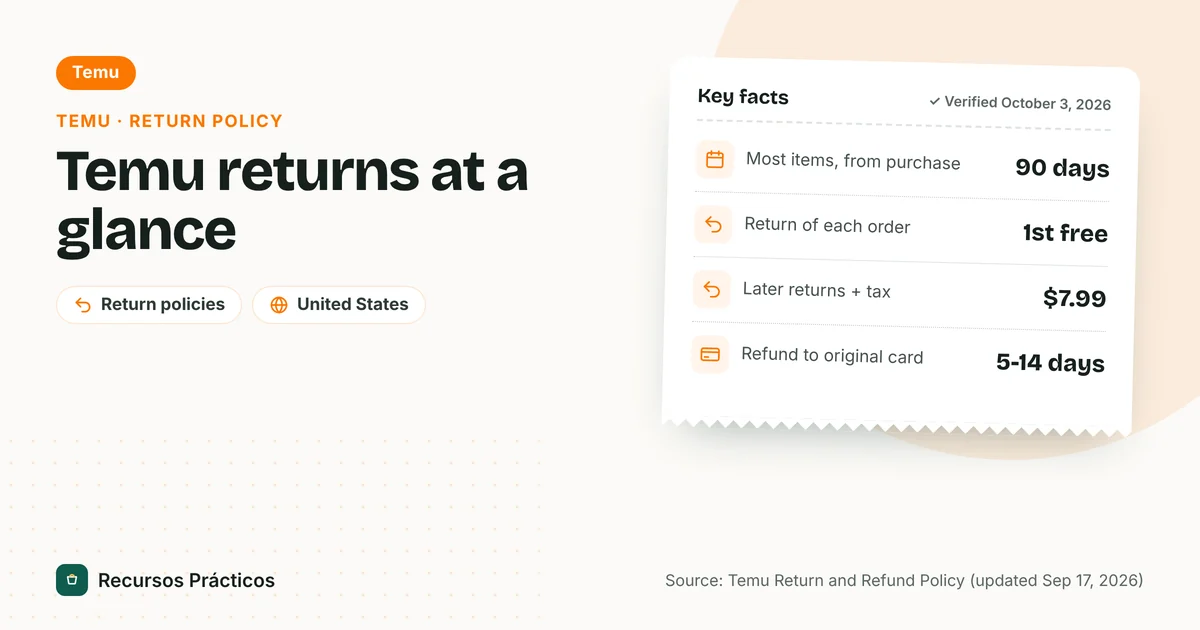
- 90 days from purchase (most items)
- Refund to original payment
- 5–14 business days, up to 30 (return policy)
 Download fact cardAn image with the key facts to save on your phone.
In this guide
- How to cancel an order on Temu
- Can you cancel a Temu order after it ships?
- What if there’s no cancel button?
- Temu cancel order refund: how long and where does it go?
- Cancel vs. return: which one do you need?
- When Temu cancels your order
- Cancelling to fix a mistake: three quick tips
- If Temu won’t help: dispute the charge
- What to keep as proof
- Before you order again
Temu orders move fast. A few hours after checkout an item can already be in the packing queue, and from that point the app stops letting you cancel. If you’ve ordered by mistake, here’s the exact path, what changes once the order is packed, and what to do when the button isn’t there.
Sources: Temu’s support article “How to Cancel an Order” (the version we could read was Temu’s Australian and UK help page, which uses the same article and menu path; the US version didn’t load), Temu’s US Return and Refund Policy (updated September 17, 2026), Terms of Use (November 7, 2025), Contact Us page, Tom’s Guide (2023) for the “already packed” rule, the FTC’s Merchandise Rule guidance and the CFPB. Temu’s US Help Center wouldn’t load, so the app screens may be worded slightly differently. We couldn’t find a cancellation-specific refund timeline in Temu’s pages; where that matters, we say so.
How to cancel an order on Temu

- Sign in to your Temu account on the app or at temu.com.
- Open “Your Orders” from your account menu and find the order you want to cancel.
- Tap “Cancel/Other help.” If the order is still eligible, this button is on the order.
- Choose “I want to cancel item(s).” Temu’s article words this step as choosing what you need help with, then picking this option.
- Select the item or items you want to cancel and confirm.
- Check the order status afterwards and screenshot the confirmation. If the order still shows as active, contact support with that screenshot.
Because you select items, you can usually cancel part of an order and keep the rest. If you want to cancel everything, select all items in the order.
Can you cancel a Temu order after it ships?
Not through the cancel button. Tom’s Guide’s 2023 explainer puts the rule plainly: if an order hasn’t been packed you can cancel from the website or app, but if it’s already packed “you’ll need to wait for your order to arrive and then request a refund.” That article is old, but it matches what Temu’s support page says about cancelling only before packing, and Temu’s return policy still has a return route for delivered items.
So if the status says shipped:
- Check tracking in Your Orders. Temu’s shipping page says you’ll get a tracking number when it’s ready and can see the delivery time under each package. Our package tracker can help when the carrier updates lag.
- Let it arrive and decide within the 90-day window. The clock runs from purchase.
- Start a return from Your Orders. The first return of every order is free; the package must be postmarked within 14 days of your request. Full steps are in our Temu return policy guide.
What if there’s no cancel button?
This is the common case, and it usually means the order has moved past the “not yet packed” stage. Work through these in order:
- Look at the item level. Sometimes a multi-item order has some items packed and others not; the button may appear only for the unpacked ones.
- Use Temu’s chat. The Contact Us page advertises 24/7 chat support. Give the order number and say you want to cancel. Agents may be able to do something the app can’t, but we couldn’t confirm that from Temu’s published terms.
- Don’t mail anything to Temu’s Boston address. The page labels it “for correspondence purposes only.”
- Fall back to a return once the package arrives.
Temu cancel order refund: how long and where does it go?
This is the part Temu doesn’t spell out. The cancellation article we could read describes the steps and the “before packed” limit, but not a refund timeline. What Temu does publish is the general rule in its return and refund policy: refunds to your original payment method “can take 5-14 business days (up to 30 days)” depending on your financial institution, and refunds to Temu credits are faster and have no expiration date.
| Situation | What Temu says | Verified? |
|---|---|---|
| Cancelled before packing | Cancel from Your Orders; refund timing for cancellations isn’t stated on the page we could read | Steps verified; timing not |
| Refund to original payment method | 5–14 business days, up to 30, depending on your bank | Yes (return policy) |
| Refund to Temu credit | Faster; no expiration date | Yes (return policy) |
| Already packed or shipped | Wait for delivery, then request a refund/return | Tom’s Guide (2023); return policy for the return process |
If the order was paid by card and nothing shows up after a month, you can contact your card issuer. The FTC’s Merchandise Rule also helps here: when a seller can’t ship by its promised date, it must offer you the choice to cancel for a full and prompt refund, and for credit card purchases the refund is due within one billing cycle after the right to a refund arises. The FTC’s page describes the rule for merchants; we haven’t verified how Temu applies it in each case.
Cancel vs. return: which one do you need?
| Cancel | Return | |
|---|---|---|
| Available when | Before the order is packed | After delivery, within 90 days of purchase (some electronics 45 or 60) |
| Cost | No return shipping involved | First return per order free; $7.99 plus tax for later refunds on the same order |
| Steps | Cancel/Other help → I want to cancel item(s) | Your Orders → select item and reason → label or return code |
| Deadline after you act | None stated | Package postmarked within 14 days |
When Temu cancels your order
Cancellation can also go the other way. Temu’s Terms of Use state it reserves the right to “correct any errors, inaccuracies, or omissions and to change or modify information or cancel orders” if information on the site is inaccurate, and that it may “decline, freeze or hold your transaction for any reason, including for suspected fraud.” If that happens, check your card statement for a pending charge that should drop off, and use chat if it doesn’t.
The same terms say payments are “non-refundable except as expressly provided in applicable policies,” and that by paying you authorize Temu to charge for the products and “any and all applicable customs duties, taxes and shipping costs.” In practice: look at the checkout total before you confirm, and cancel promptly if the total includes charges you didn’t expect.
Cancelling to fix a mistake: three quick tips
- Wrong address or size? Cancel and reorder is the only route we could verify. We found no published Temu page about editing a placed order, so confirm in the app before assuming you can change it.
- Used a coupon or credit? We couldn’t verify whether a cancelled order restores a coupon, so check your coupon list afterwards.
- Charged twice? Compare your Temu order history with your card statement. Two charges for one order is a billing question for support first and your card issuer second.
If Temu won’t help: dispute the charge
Federal credit card billing rules give you a route out. According to the CFPB, you need to call the card company, then send a written billing error notice within 60 calendar days after the charge appeared on your statement. The issuer has 30 days to acknowledge and must finish its review within two billing cycles; while it’s reviewing, you don’t have to pay the disputed amount. Keep copies of everything and note the dates of calls.
What to keep as proof
If a cancellation goes wrong, you’ll be glad to have a short paper trail. Save these before you contact support or your card issuer:
- The order number and the order date shown in Your Orders.
- A screenshot of the cancel confirmation, or of the screen where the button was missing.
- Your card statement line for the charge, including whether it’s pending or posted.
- Chat transcripts or emails with Temu, with dates.
- For a return after shipping: the drop-off receipt and tracking number, because you keep title to the item until it reaches Temu’s designated location.
With those in hand, a support agent can find the order quickly, and a card dispute has the dates it needs. The 60-day written-notice deadline starts when the charge first appears on your statement, not when you finally give up on Temu.
Before you order again
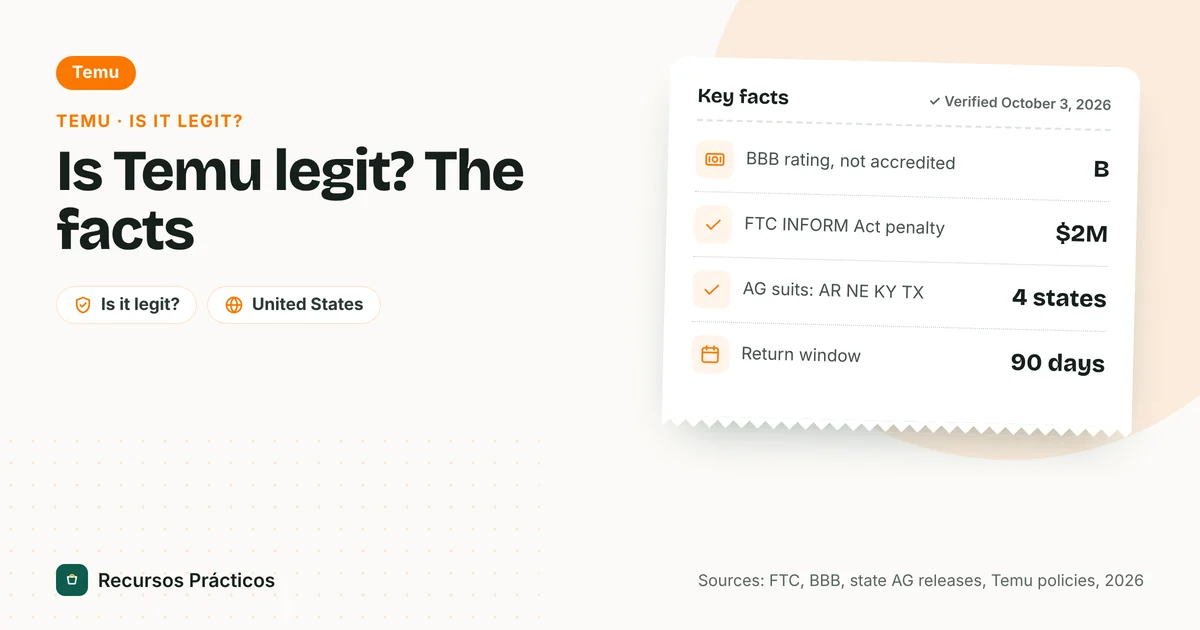
If cancellations keep happening, the cause is usually the checkout total or a mis-tapped item. Review the cart on the final screen, and read Is Temu legit? for what regulators have said about the platform. Other stores’ cancellation rules differ; compare with the Shein cancel order guide and the AliExpress cancel order guide.
FAQ
How do I cancel an order on Temu?
Sign in, open Your Orders, find the order, tap Cancel/Other help, choose “I want to cancel item(s),” select the items and confirm. Temu’s support article says you can cancel before the order is packed.
Can I cancel a Temu order after it has shipped?
Not with the cancel button. Once an order is packed, you wait for it to arrive and then request a return and refund. The return window is 90 days from purchase for most items, and the first return per order is free.
Can I cancel just one item from a Temu order?
Yes, the cancel flow has you select the item or items to cancel, so you can usually cancel part of an order while the rest ships.
How long does a Temu cancellation refund take?
Temu’s pages we could read don’t give a cancellation-specific timeline. Its return policy says refunds to the original payment method take 5–14 business days, up to 30; Temu credit is faster. Confirm the timing in your order details.
Why can’t I cancel my Temu order?
Most likely it has already been packed or shipped. Check whether some items in a multi-item order are still unpacked, then contact chat support, and otherwise plan to return it after delivery.
How do I contact Temu to cancel?
Temu’s Contact Us page lists 24/7 chat support. Its Boston address is for correspondence only, not returns or in-person service.
Does Temu cancel orders on its own?
It can. The Terms of Use say Temu may cancel orders if site information is inaccurate and may decline, freeze or hold transactions for any reason, including suspected fraud.
Can I dispute a Temu charge with my bank?
Yes. Send a written billing error notice to your card issuer within 60 calendar days after the charge appears on your statement, as the CFPB explains. The issuer has 30 days to acknowledge it and two billing cycles to resolve it.
 Keep reading · Temu
Temu Free Gifts: How to Get Them, How They Work and Whether They’re Legit
Read guide →
Keep reading · Temu
Temu Free Gifts: How to Get Them, How They Work and Whether They’re Legit
Read guide →
Sources
- Temu — How to Cancel an Order (support article, UK/AU versions)
- Temu — Return and Refund Policy (updated Sep 17, 2026)
- Temu — Terms of Use (updated Nov 7, 2025)
- Temu — Shipping Info
- Temu — Contact Us
- Tom’s Guide — Temu shipping and return policies (Mar 2023)
- FTC — Business Guide to the Mail, Internet or Telephone Order Merchandise Rule
- CFPB — How do I dispute a charge on my credit card bill?